

In order to access FARMDATA+ you will need to create your GOV.UK One Login account by visiting: https://www.gov.wales/login-rural-payments-wales-rpw-online
You will need to re-register with Farming Connect – you can do this via RPW online, once you have a one login account
If an individual is registered as a business member role in RPW, you will automatically be able to access FARMDATA+.
If an individual is registered as a non-business member, you will need to select Custom Access permissions and select the FARMDATA+ tick box.
Access FARMDATA+ via the Farming Connect website under the Benchmarking page
Click “Access FARMDATA+”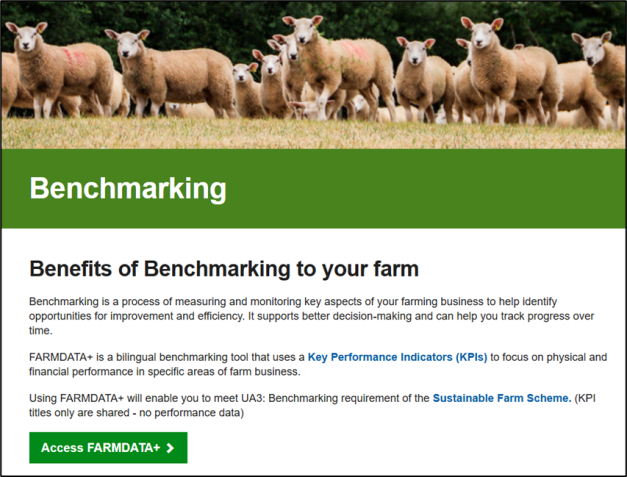
- Click “Sign in with GOV.UK One Login”
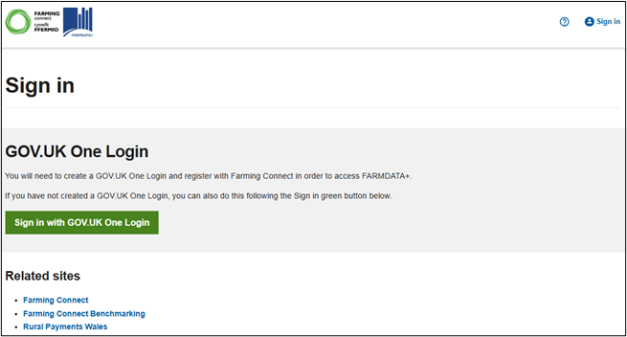
- Then “Sign in” again
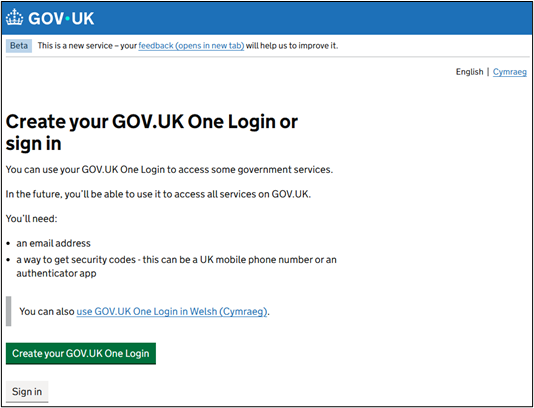
- Follow the steps to sign in using your RPW GOV.UK One Login username and password. N.B. If you have not created a One Login ID, you will need to create one first. This needs to be completed once only. Once created, it will then be possible to use your one Login user name and password to access Farm Data+
- Once logged in to FARMDATA+, all farms you have permission to Benchmark will be displayed.
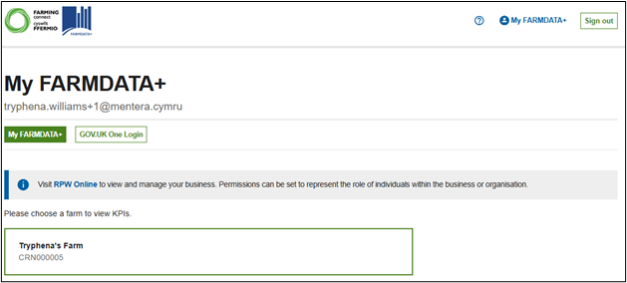
- Select a farm you wish to benchmark from those listed available to you. You will be directed to the farm benchmarking dashboard.