As outlined in the Sustainable Farming Scheme (2026): universal layer: rules booklet, you are required to complete two KPIs per Sector and one Whole Farm KPI from the FARMDATA+ tool.
Note: If you do not own or keep appropriate livestock or grow crops, you must complete three ‘Whole Farm’ KPIs.
Once you are successfully completed a KPI and are happy with the accuracy of the results displayed, you have the option to Submit the KPI for SFS.
Reminder – once a KPI has been submitted for SFS, you are not able to edit the data, until the following calendar year, so it is important that the data provided is accurate, providing useful comparisons in future years.
There are two ways to Submit KPIs for SFS:
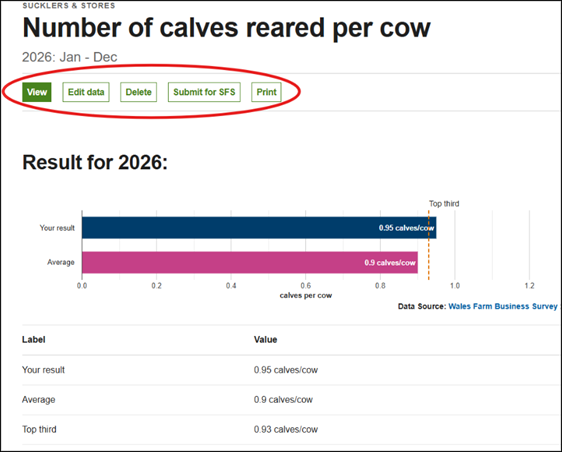
- From the KPI results page – once you have input data into a KPI, on the results page you can select the Submit to SFS from the menu bar.
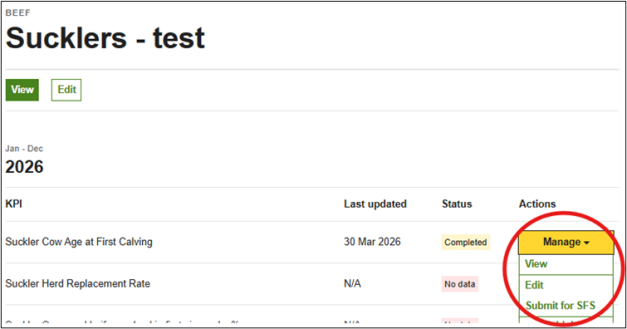
- From the Recent KPIs list on the Dashboard or on the Enterprise page, by clicking Manage and Submit for SFS under the Actions column against the KPI you wish to submit to SFS
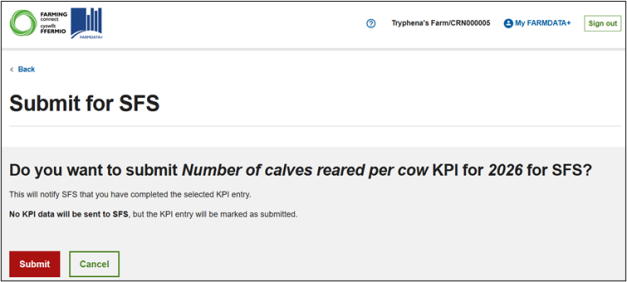
Whatever path you choose, once you have clicked “Submit for SFS” you will then be asked to confirm that you are happy with your selection:
Click Submit and you will see a green banner confirming that the KPI has been submitted for SFS:
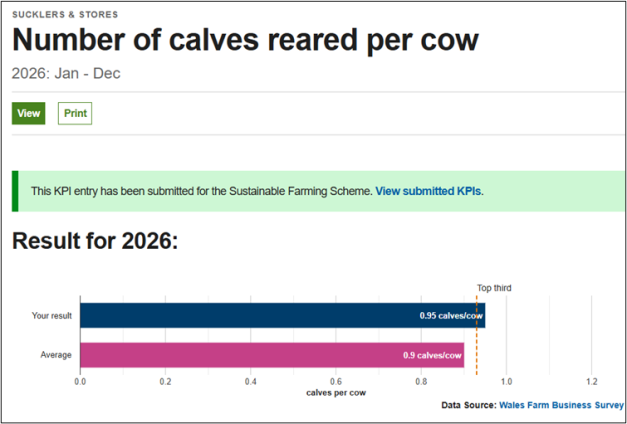
You can no longer edit the data in the KPI until the next calendar year.
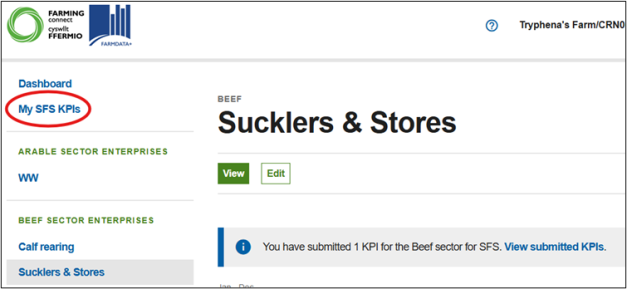
Once you have submitted your first KPI for SFS, you will notice a new button appear on the left-hand side of the Dashboard called “My SFS KPIs”.
On selecting this, you can view all the KPIs that you have submitted for SFS.
The list of KPIs submitted for SFS will allow you to check that you completed and submitted the minimum requirement for UA3: Benchmarking for SFS (2x KPIs per sector plus x1 Whole Farm KPI)